01
Open the app and scan your workspace
The app detects likely flows, optional target component lists, and the built-in upgrade coverage available in the repo.
Desktop Guide
The desktop app is the easiest way to use the product. It scans a workspace, detects likely flows, suggests the built-in upgrade coverage, and walks you through analyze, rewrite, validate, and run.
Quick Start
Ubuntu or Debian
sudo apt update
sudo apt install libwebkit2gtk-4.1-dev \
  build-essential \
  curl \
  wget \
  file \
  libxdo-dev \
  libssl-dev \
  libayatana-appindicator3-dev \
  librsvg2-dev
curl --proto '=https' --tlsv1.2 https://sh.rustup.rs -sSf | sh
source "$HOME/.cargo/env"
macOS
xcode-select --install
curl --proto '=https' --tlsv1.2 https://sh.rustup.rs -sSf | sh
source "$HOME/.cargo/env"
Windows PowerShell
winget install --id Microsoft.VisualStudio.2022.Community --source winget --force --override "--add Microsoft.VisualStudio.Component.VC.Tools.x86.x64 --add Microsoft.VisualStudio.Component.VC.Tools.ARM64 --add Microsoft.VisualStudio.Component.Windows11SDK.22621 --addProductLang En-us"
winget install --id Rustlang.Rustup
rustup default stable-msvc
On Windows, Tauri also needs Microsoft Edge WebView2. Windows 10 version 1803 and later usually already include it. If not, install the Evergreen Bootstrapper from the official WebView2 download page.
The app detects likely flows, optional target component lists, and the built-in upgrade coverage available in the repo.
If the flow carries embedded version metadata, the app fills it in. If not, it tells you to enter the source version manually. Optional target manifests stay manual, and bundled demos are labeled (sample).
See blockers, advisory review items, safe fixes, and info notes before anything changes.
The app tells you when no safe rewrites are available, and rewrite writes a separate upgraded artifact instead of overwriting the original flow.
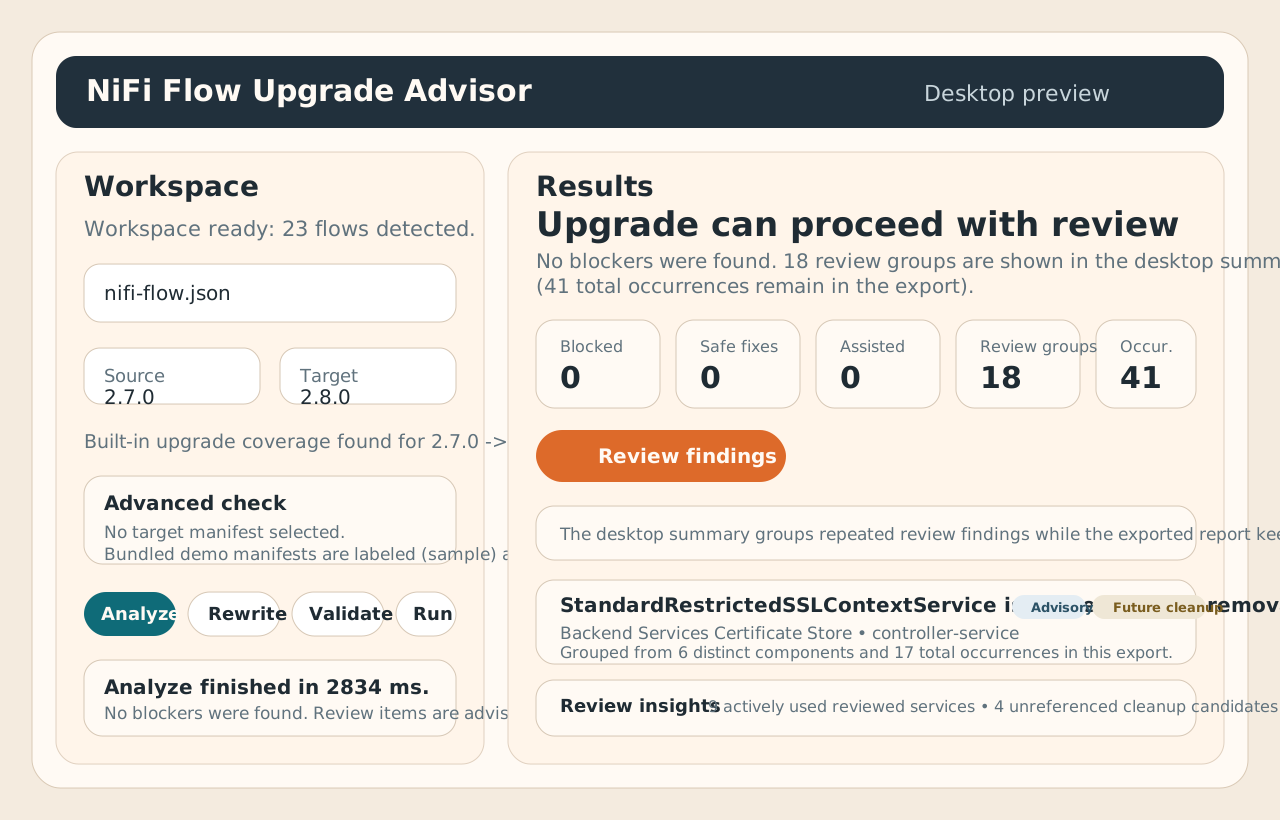
Scan the repo, choose a flow, and let the app handle the upgrade-path plumbing for you.
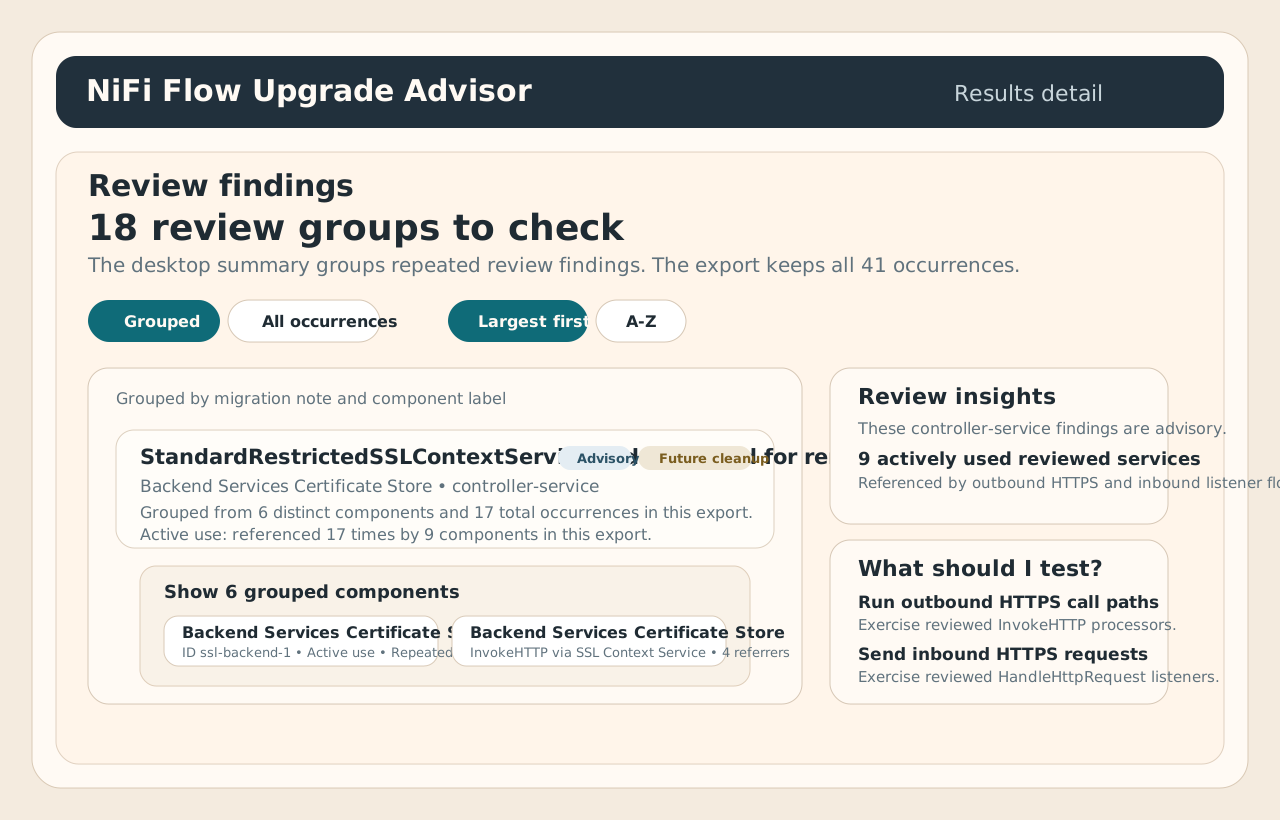
Blocked, review, safe fixes, and info are broken out clearly, with grouped review summaries, next actions, and rewrite previews.
Use validate when you want to confirm the target version, installed component types, or live target readiness after rewrite.
Target manifests are optional. The desktop app no longer auto-selects bundled sample manifests, so advanced inventory checks only run when you explicitly opt in.
Upgrade can proceed with review means no blockers were found. The desktop summary can group repeated review findings into calmer review groups while the exported report keeps every occurrence.
Use the CLI for CI, scripted workflows, GitOps, and advanced debugging. The desktop app is just a wrapper around the same engine and reports.